> ## Documentation Index
> Fetch the complete documentation index at: https://docs.useresona.com/llms.txt
> Use this file to discover all available pages before exploring further.
# Browser Extension
> Save articles with one click using The Pulse
# Browser Extension
The Pulse is Resona's browser extension — your gateway to capturing knowledge from anywhere on the web.
## One-Click Save
Saving an article is as simple as:
1. Click the Resona icon in your toolbar
2. See the pulse animation confirming capture
3. Continue browsing — we handle the rest
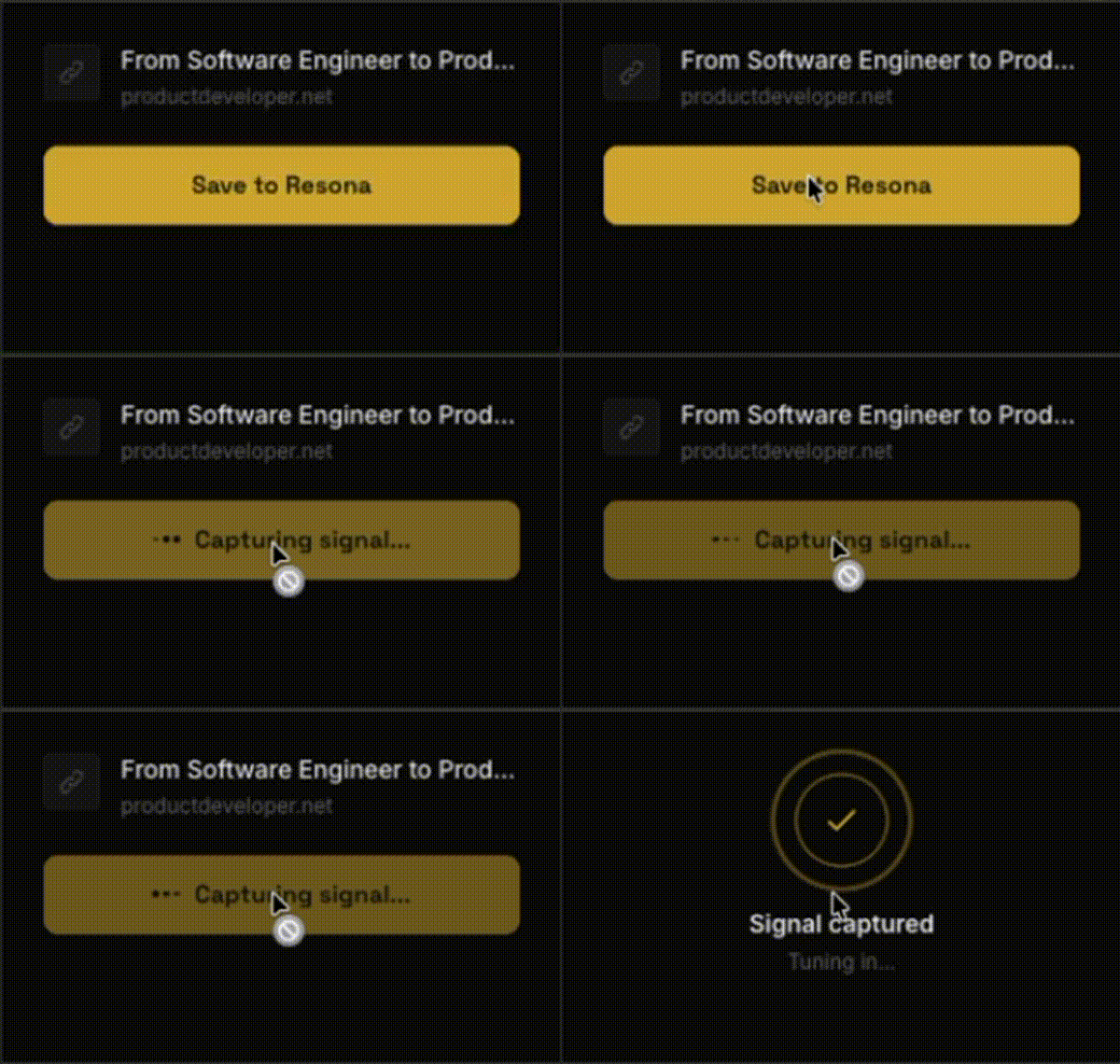 The extension works on any webpage with article content. Resona automatically extracts the main content, filtering out ads, navigation, and other noise.
## What Happens Behind the Scenes
When you click save, Resona:
Instantly saved to your library (under 1 second)
Removes ads, navigation, and clutter to get clean article text
AI creates summary, key points, quotes, and auto-tags (10-30 seconds)
## Supported Browsers
| Browser | Status |
| ------- | ----------- |
| Chrome | Available |
| Firefox | Coming soon |
| Safari | Coming soon |
| Edge | Coming soon |
## Installation
1. Visit the [Chrome Web Store](#)
2. Click **Add to Chrome**
3. Click **Add Extension** in the popup
4. Pin the extension to your toolbar for easy access
## Tips
Click the puzzle piece icon in Chrome, then click the pin next to Resona.
Resona is optimized for blog posts, news articles, and long-form content. It may not work well on video pages or highly interactive sites.
The extension works on any webpage with article content. Resona automatically extracts the main content, filtering out ads, navigation, and other noise.
## What Happens Behind the Scenes
When you click save, Resona:
Instantly saved to your library (under 1 second)
Removes ads, navigation, and clutter to get clean article text
AI creates summary, key points, quotes, and auto-tags (10-30 seconds)
## Supported Browsers
| Browser | Status |
| ------- | ----------- |
| Chrome | Available |
| Firefox | Coming soon |
| Safari | Coming soon |
| Edge | Coming soon |
## Installation
1. Visit the [Chrome Web Store](#)
2. Click **Add to Chrome**
3. Click **Add Extension** in the popup
4. Pin the extension to your toolbar for easy access
## Tips
Click the puzzle piece icon in Chrome, then click the pin next to Resona.
Resona is optimized for blog posts, news articles, and long-form content. It may not work well on video pages or highly interactive sites.